Build faster. Think bigger.
QuickLayer turns ideas into working digital experiences, without slowing down for the boring parts.
Special Rakhi Deal Ends Soon
Get QuickLayer Pro for ₹999 (Regularly ₹3,999) + 1-Year AI Editing Suite Access included with lifetime license updates.
Repetitive timeline tasks.
Turned into single clicks.
Save 30–60 minutes of repetitive clicks on every edit.
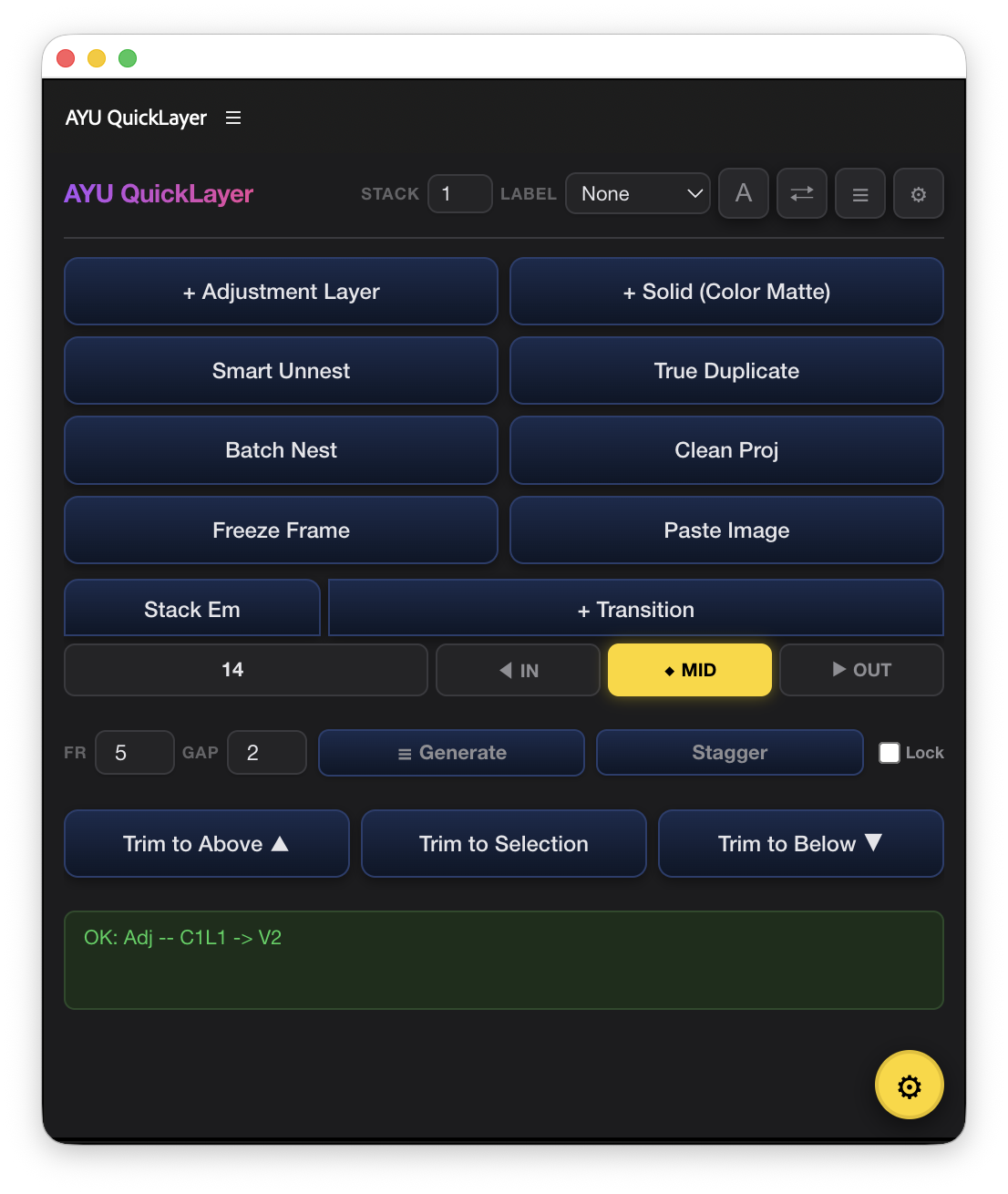
Adjustment Layer
Auto-generated directly on target track and snapped to active in/out points.
Non-Destructive Trimming
Trim clip boundaries to playhead while preserving 100% of easing curves and color grades.
VFX Stacking & Sandwich
One-click 3-tier text/VFX sandwich and up to 10-layer vertical track automation.
Engineered for pure speed.
Eight essential timeline workflows turned into instantaneous one-click actions.
Adjustment Layers
Generate and snap adjustment layers onto targeted tracks without modal dialogues or bin searching.
Solid Mattes
Deploy background color blocks, matte overlays, and letterboxes matched to your sequence resolution.
Stack & Sandwich
Automate multi-tier VFX sandwiches, backdrop blurs, and grading hierarchies in one clean pass.
Non-Destructive Trim
Trim clip boundaries to playhead without shifting keyframes, motion curves, or Lumetri grades.
True Duplicate
Duplicate timeline clips cleanly to the next available vertical track with zero collisions.
Nest / Unnest
Group multi-track clips into clean nested sequences or instantly unpack back to raw tracks.
Image Paste
Copy any image from web browser or screenshot tool and paste directly into your active sequence.
Clean Project
Recursively sort unbinned media into organized folder structures and purge empty bins with one click.
Built inside your workflow.
Not beside it.
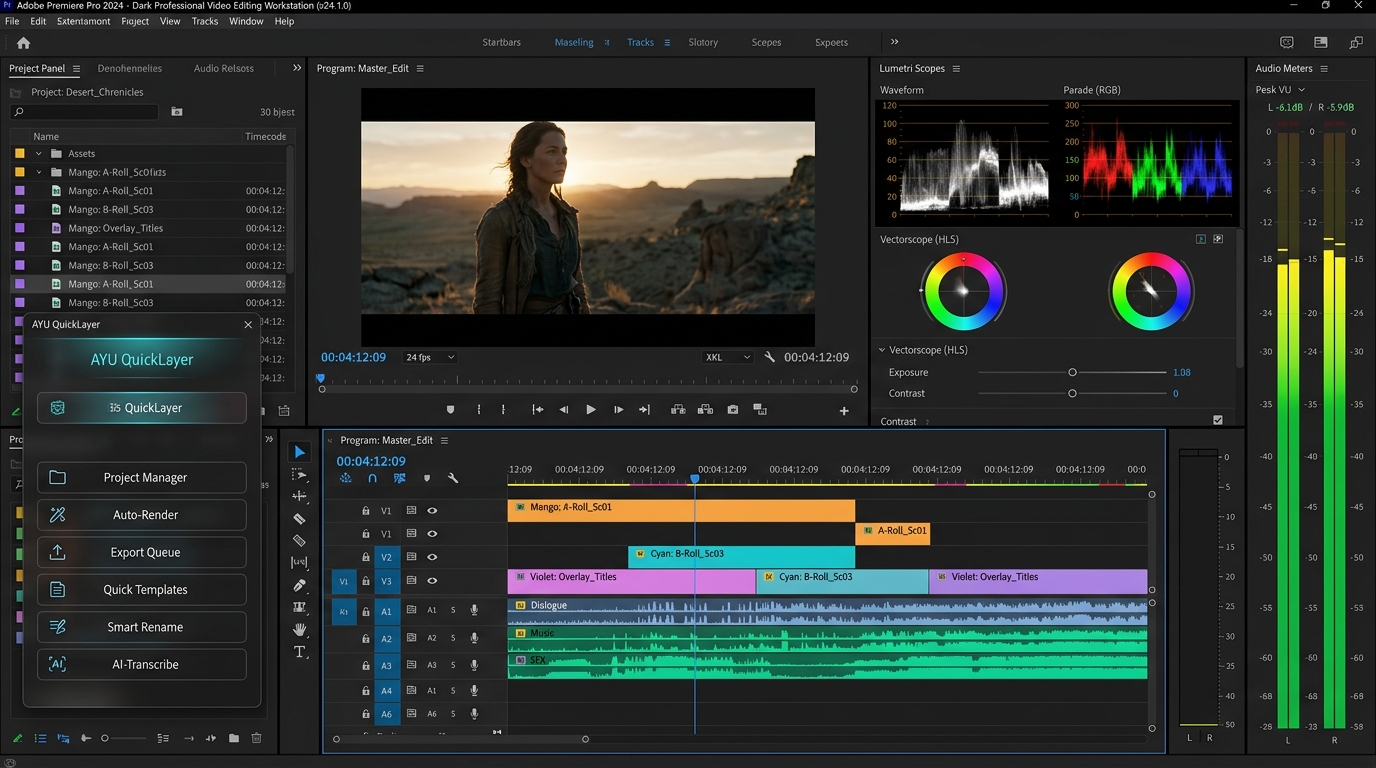
QuickLayer gives Premiere Pro editors faster control without changing the way they edit.
One-Click Workflows
Common timeline operations reduced from 5–8 tedious manual steps to instantaneous single actions.
Non-Destructive Control
Modify clip timing without ever disturbing existing keyframes, transitions, or Lumetri color parameters.
Built for Editors
Designed around real Premiere Pro timeline friction to protect your creative focus and flow state.
Professional Timeline Speed. At Festive Pricing.
One-time purchase. No recurring monthly subscriptions. Lifetime license updates + 1-Year AI Editing Suite Access Included.
QuickLayer Pro Complete
Premiere Pro workflow extension + AI Suite
Lifetime license • Free updates • Instant Delivery
- ✓ 1+ Year AI Suite Access Included Free
- ✓ All 12 Timeline Automation Engines
- ✓ 3–10 Tier VFX Stacking & Sandwich
- ✓ Non-Destructive In/Out/Mid Trimming
- ✓ Native OS Clipboard Image Paste
- ✓ Smart Nest / Unnest & True Duplicate
- ✓ All Custom UI Themes & Skins
- ✓ macOS (Apple Silicon & Intel) + Windows
QuickLayer Lite
Premiere Pro workflow extension
⚡ Absolutely free for a limited period of time
- ✓ Core Adjustment Layer Engine
- ✓ Solid Color Matte Deployment
- ✓ Essential Non-Destructive Trim
- ✓ Smart Nest & Unnest
- ✓ Compact HUD Interface
- ✓ macOS & Windows Compatibility
Frequently Asked Questions
QuickLayer supports Adobe Premiere Pro v22.0 through the latest 2024 and 2025 releases on both macOS (Apple Silicon M1/M2/M3/M4 & Intel) and Windows 10/11.
QuickLayer is a one-time purchase with lifetime access. There are no recurring monthly subscriptions, and all point updates are included for free.
No. QuickLayer's trimming and layer engines are 100% non-destructive. They adjust clip in/out boundaries without resetting Lumetri color parameters, Motion keyframes, or audio effects.
Installation takes under 60 seconds with our one-click installer for macOS and Windows. Once installed, simply open Premiere Pro and enable QuickLayer under Window > Extensions > QuickLayer.
Yes. QuickLayer hooks natively into Premiere Pro's CEP framework, allowing you to map any QuickLayer button to your favorite hardware shortcuts or Stream Deck keys.
Stop wasting your editing time
on editing the editor.
QuickLayer puts repetitive Premiere Pro work behind a single click.